Running a Room Everybody Can Follow
Everybody in a room watches one wheel land on one entry. A little setup before people arrive keeps it that way.
Set It Up Before Anybody Arrives
Open the room a few minutes early, with the list you mean to spin. The room takes a copy of the list, so read through the entries on the List tab before you hand out the code. You can still edit them once people are watching, and every screen changes with you, but a list that shifts in front of everybody invites the question of who changed it and why. If people want the list afterward, Share This List in the room's menu makes a link to it, and anybody who opens the link gets their own copy.
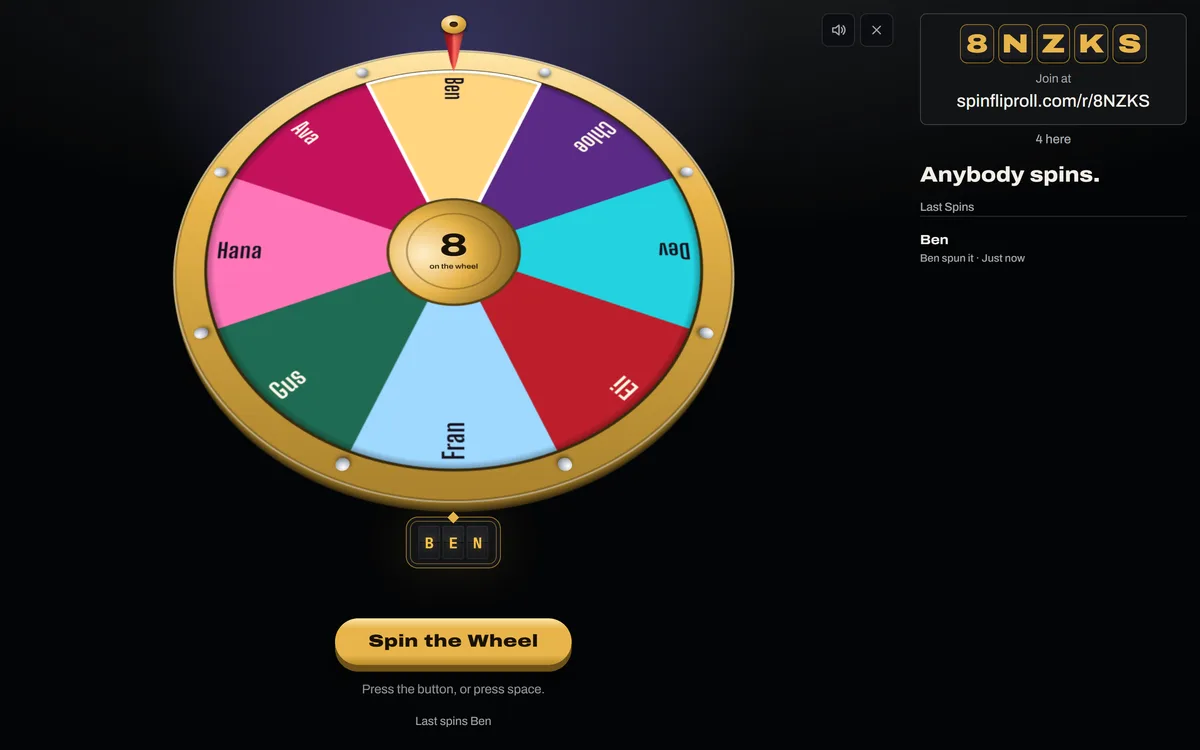
On a projector, open the room on the laptop that drives it and leave your name empty, so that screen holds no seat. A wide screen with no seat is the room's board: the code stands large beside the wheel, over the whole link to join by, so the wheel takes the stage's full height. Press the full screen button in the corner of the stage and the bar, the rail, and the ads step aside, and anybody who arrives late can still read the code.
Once a board is in the room, a player can pick Controller in the menu on their own phone. The phone then hides the wheel or the table and keeps only the buttons that player presses, while the board shows everybody the prop. Show the Table brings it back.
 Open the picture full size, opens in a new tab
Get Everybody In
Read the code out, or press it over the wheel to copy the link and paste that into the chat on a call. On a phone, pressing it opens the phone's share sheet, so you can send the link straight to a message. A code is five letters and numbers, and it never uses I, L, O, 0, or 1, the ones most easily taken for each other from the back of a room. Douglas Crockford's Base 32, a code alphabet meant for people to read and type, leaves out I, L, and O for the same reason.
People join from Join a Room in the Rooms menu, or by typing the address on the plaque with the code after it, such as spinfliproll.com/r/K7PQ3. A phone needs nothing but its browser, and there is no account to make. A class on the school's network reaches the site from one internet address, and SpinFlipRoll takes up to a hundred screens from one address, so a room full of phones fits. A room holds 300 screens and 50 seats, and once the seats are gone people can still watch. One address can keep 20 rooms open at once.
Each phone says who it is in the room as it comes in, such as You're in as Priya, and who presses next. On a phone the room's code folds into one line over the stage, so the button everybody presses stands on the first screen, and a press on the line shows the whole code to read out. One that came in without a name says it is watching, with Sit Down beside it, so nobody has to find the People tab to join in.
On a video call, send the link rather than sharing your screen. A shared screen can make a spinning wheel stutter, while each person's own screen spins the wheel smoothly from the same draw. Mitchell Hamline School of Law gives the same advice for video in Zoom: put a link in the chat so people watch on their own devices.
Back to contentsChoose Who Spins
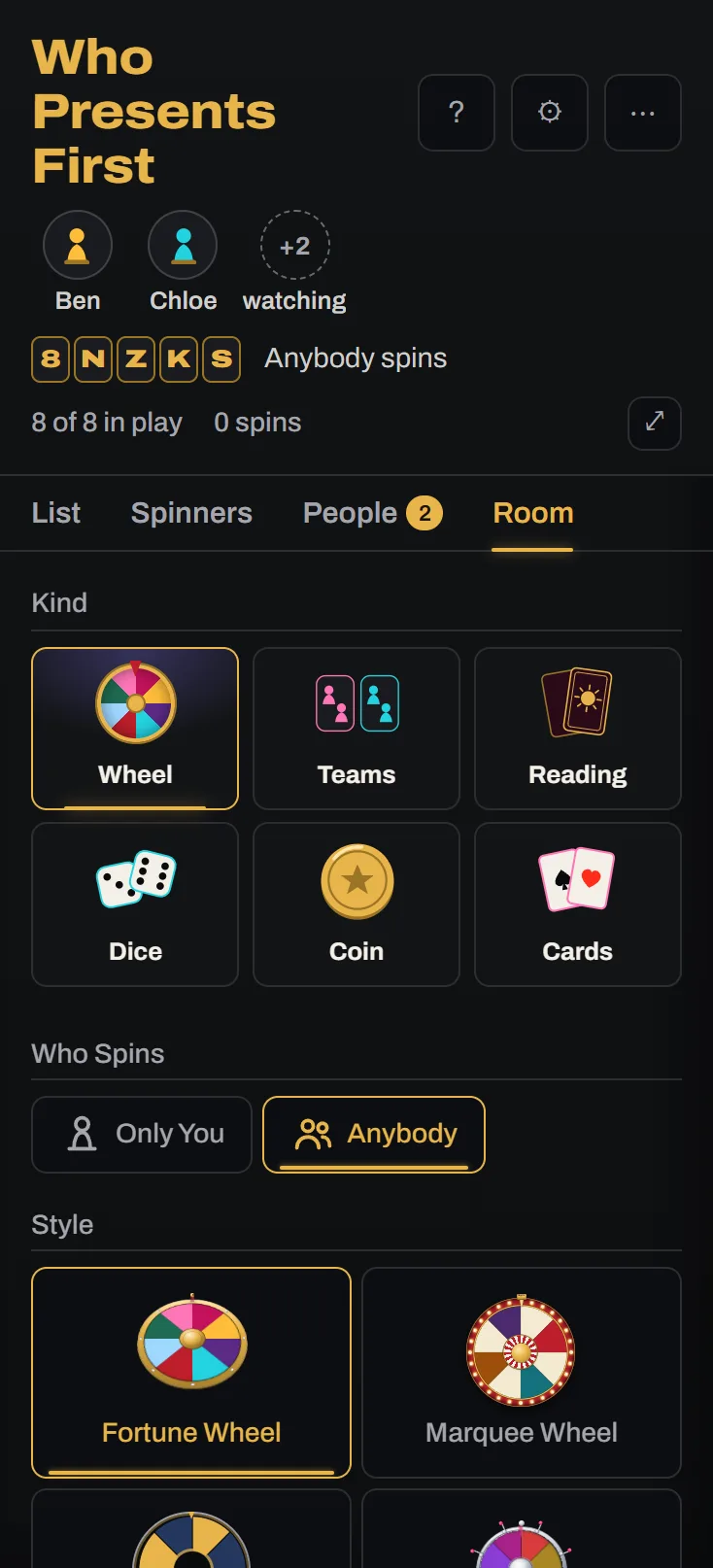
A room opens with only you spinning. That suits a projector, where one person runs the wheel and everybody watches. Anybody, on the Room tab, lets whoever is in the room press the button, which suits a party or a call where each person wants a turn. When anybody can spin, the room waits two seconds after a spin lands before it takes another, so one person cannot keep the wheel turning.
Nobody needs a name to watch. If you want to know who pressed the button, ask people to type a name when they join, or to take a seat with one on the People tab. The rail then says who spun, such as Ben spun, and a screen reader says it too. A phone whose name the wheel lands on spells YOU on its board and says it landed on them.
For a game where the people in the room are the list, such as who goes first, turn on Spin the Seats on the Room tab. The wheel then holds everybody sitting down, and somebody who sits down mid game goes straight on it. Your screen keeps that list up to date, so keep it open, and it stays awake while the switch is on. It replaces every other entry, typed names included, and a seat that goes away stays on the wheel until you remove it.
 Open the picture full size, opens in a new tab
Set the Pace
The style, the speed, and the length belong to the room rather than to each screen, so every screen in the room spins the same way and lands on the same entry. A room starts on the ones you spin with, and the Room tab changes them for everybody.
Match the pace to the moment. A slow, long spin gives a prize draw time for the room to lean in. A quick, short one keeps a standup moving, since nobody wants to wait ten seconds to learn who goes first.
While it turns, everybody with a seat can press React beside the code and send a drumroll, a gasp, or applause, which floats up over the stage on every screen. It gives the room something to do while it waits. When you want the room quiet, switch Reactions off on the Room tab, and the button goes from every screen.
Back to contentsKeep the Turns Fair
A plain spin starts fresh every time, so one name can come up twice in a row while somebody else waits all session. Press List Settings, the cog beside the list's name at the head of the rail, and pick under After a Win. Retires takes each winner out of play, so nobody comes up twice until you put them back. Rests shrinks a winner's wedge and lets it grow back over the next round of spins, so a repeat is rare but possible. Every screen shows the same wheel either way.
If somebody leaves partway through, untick them on the List tab and the wheel closes up on every screen. Every win you see in a room goes in your History, so afterwards you can look back at who was picked.
Back to contentsPlay a Dice Game Together
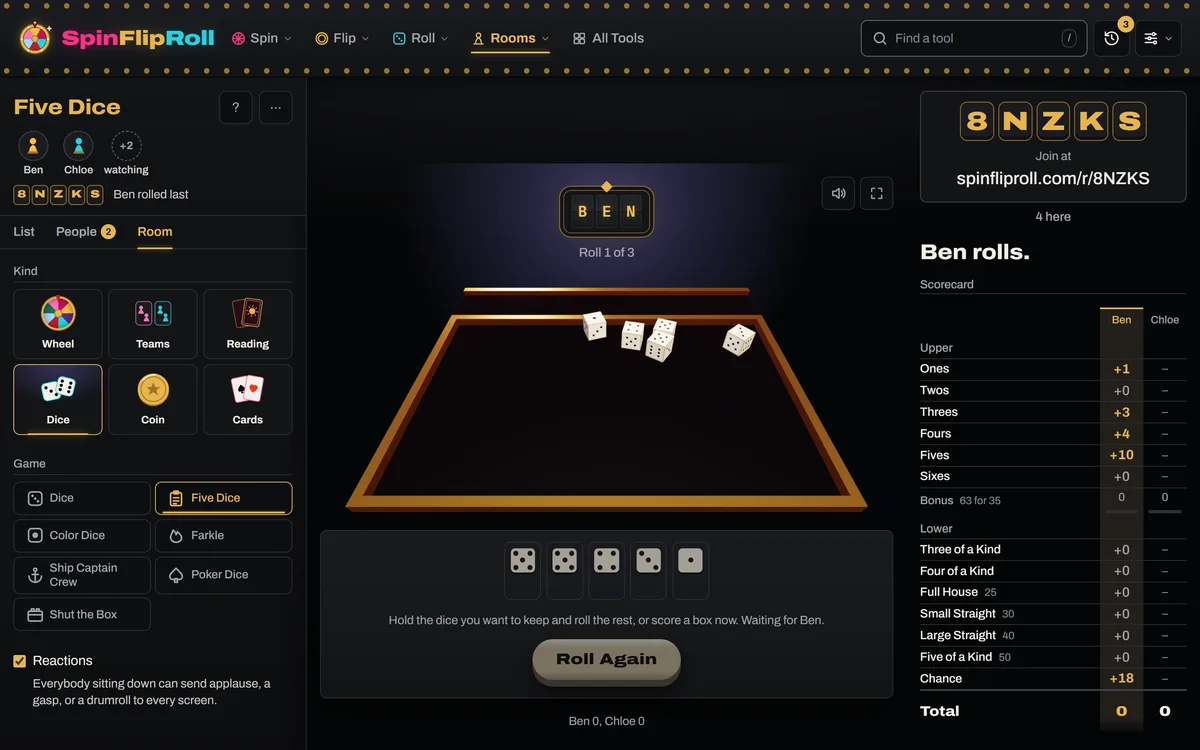
A room on Dice plays one of the dice games, with every screen seeing the same dice land and the same scores. Only people sitting down play, and each plays from their own phone, so ask every player to join with a name before you press Roll. A name typed in for somebody without a phone cannot roll. Untick anybody on the List tab who is only watching. The line over the names says how many are playing, such as 2 of 3 playing, and when more are in than the game seats it says so instead. Five Dice, Color Dice, and Shut the Box seat four, and Farkle, Ship Captain Crew, and Poker Dice seat six.
 Open the picture full size, opens in a new tab
In Five Dice and Color Dice each player scores from the boxes that show under the dice on their own phone, so nobody has to scroll down to the scorecard, and a line at the foot of the table keeps everybody's total with the leader in brass. The game copies who plays as it starts, so somebody who arrives late joins the next game. Press New Game on the List tab when they are in, twice if a game is under way. Pick the house rules for Farkle or Color Dice before the first roll, since a change after it waits for the next game.
Nobody has to watch their phone between turns. As a player's turn comes, their board says You're Up and a chime sounds, and a phone put down stays awake while the game is on, once it has been pressed. A player who keeps their phone in a pocket can turn on Buzz on My Turn in Settings, on a phone that can buzz.
On a projector with no name of your own, you run the table rather than play. The board shows the scorecard, or every player's standing, beside the table, so the room follows the game without anybody opening a tab. You start each game, and your button steps back while a player's turn is up, so the projector shows whose turn it is. Your button reads Waiting for People until the first person sits down. If a player's phone dies or they wander off, give it a few seconds: your button lights again, reading Roll for or Draw for their name, and two presses take their turn for them.
For a board game on a real table, choose Dice first among the games instead. It rolls whatever dice you set, up to seven from a d4 to a d20, with nobody needing a seat. Set Who Rolls to Anybody so each player rolls from their own phone, and everybody sees the same dice land.
Back to contentsSettle It With the Coin
A room on Coin flips one coin for everybody, which settles a question in front of the whole room with nobody able to say the result was picked. Name the sides first, such as Pizza and Tacos, so the board calls the answer by name. A new name starts the score again, so it is worth doing before the first flip.
For something that matters, play Best of 3 or Best of 5 rather than a single flip, and the room watches the score build up to the answer. Best of 7 is there for a longer match. In a class, everybody with a seat can call each flip before it goes up, and the room keeps score of who called right, so the whole class is guessing along. That works with one coin, so Two-Up, which throws two, takes no calls. Leave Who flips on the host, so the coin goes up when you are ready.
Back to contentsPlay Cards Together
A room on Cards shuffles one deck for everybody, so every screen turns the same cards. High Card settles who goes first: each player draws their own card from their phone, the highest wins, and a tie draws again. It takes two to six players, it is quick, and nobody can say the host picked.
Higher or Lower suits a class on a projector. The host can play it alone, sitting down from the same screen, and let the room shout out each call. It takes one to six players. With a few, each takes three turns, a miss passes the turn, and the longest run wins. Each phone keeps its own card and the one to beat, or its run and the best run, under the board. Draw Cards deals for a game played at a real table, with Keep Out so the deck runs down the way a real one does.
Back to contentsWhen Something Goes Wrong
A phone that drops off the network tries to rejoin by itself, and lands on whatever the wheel did while it was gone. Somebody who comes in partway through a spin catches up and lands with everybody else.
If you close the tab as the host, the room carries on. Open Rooms in the bar and pick it under Back to a Room, and you are still its host, as long as it is the same browser. Your last five rooms stay there for twelve hours. A seat belongs to the tab, so if you sat down with a name, you come back as host with no seat. Your old name shows Away for now until you remove it, and you can sit down again from the People tab. Be back within two minutes, though. A host who sat down with a name and stays away longer hands the room to the first person who was already here. If you have to go, hand it on yourself with the crown beside a name on the People tab, pressed twice. Running the room from a projector with no name, you keep it however long you are away.
If the server restarts, every room is lost for a moment. While your tab is open, your browser opens the room again under the same code for the next ten minutes. Other screens go back in on their own, and a phone with a seat sits back down in it.
If somebody sits down with a name that does not belong in the room, press the cross beside it on the People tab, twice. They carry on watching, without the name.
When you are done, Close the Room in the room's menu, pressed twice, ends the room for everybody. A room nobody is in closes by itself after half an hour, and one nobody ever joined closes after two minutes.
Back to contentsTry It
Try it before it matters. Open a room with a list you use, join it on your phone as well, and spin from the computer. Both screens land together, and you will know where every button is when the room is full.
Read Next
Random Pickers in the ClassroomDoes calling on students at random help them take part?3 min read Running a Raffle or a Prize DrawHow do you run a raffle or a prize draw that everyone trusts?4 min read
Sources
This guide draws on these. Last checked November 2, 2026.