Random Pickers in the Classroom
You ask a question and the same three hands go up. Does picking names at random help the rest of the room speak?
What the Research Says
Calling on a student who has not raised a hand is called cold-calling. Many teachers skip it because they expect it to make students dread class. Elise Dallimore, Julie Hertenstein, and Marjorie Platt tested that worry in college classes. They compared classes that cold-called a lot with classes that did it rarely.
In the heavy cold-calling classes, more students answered questions voluntarily, and the number grew over the term. Students there also grew more comfortable joining discussions, while comfort in the other classes stayed where it was. The authors' conclusion is that "cold-calling can be done fairly extensively without making students uncomfortable." A follow-up by the same authors found that men and women both volunteered more, and that women in the heavy classes answered as many voluntary questions as men.
Both studies were of college students, so they say little about a second grade class. Comfort also varies. An earlier interview study in college biology courses, described in a 2023 paper by Stacy Alvares and colleagues, found that 60% of the students interviewed said random call raised their anxiety. None of this tested a spinner. What a spinner adds is a pick nobody chose, so no student can say you went for them.
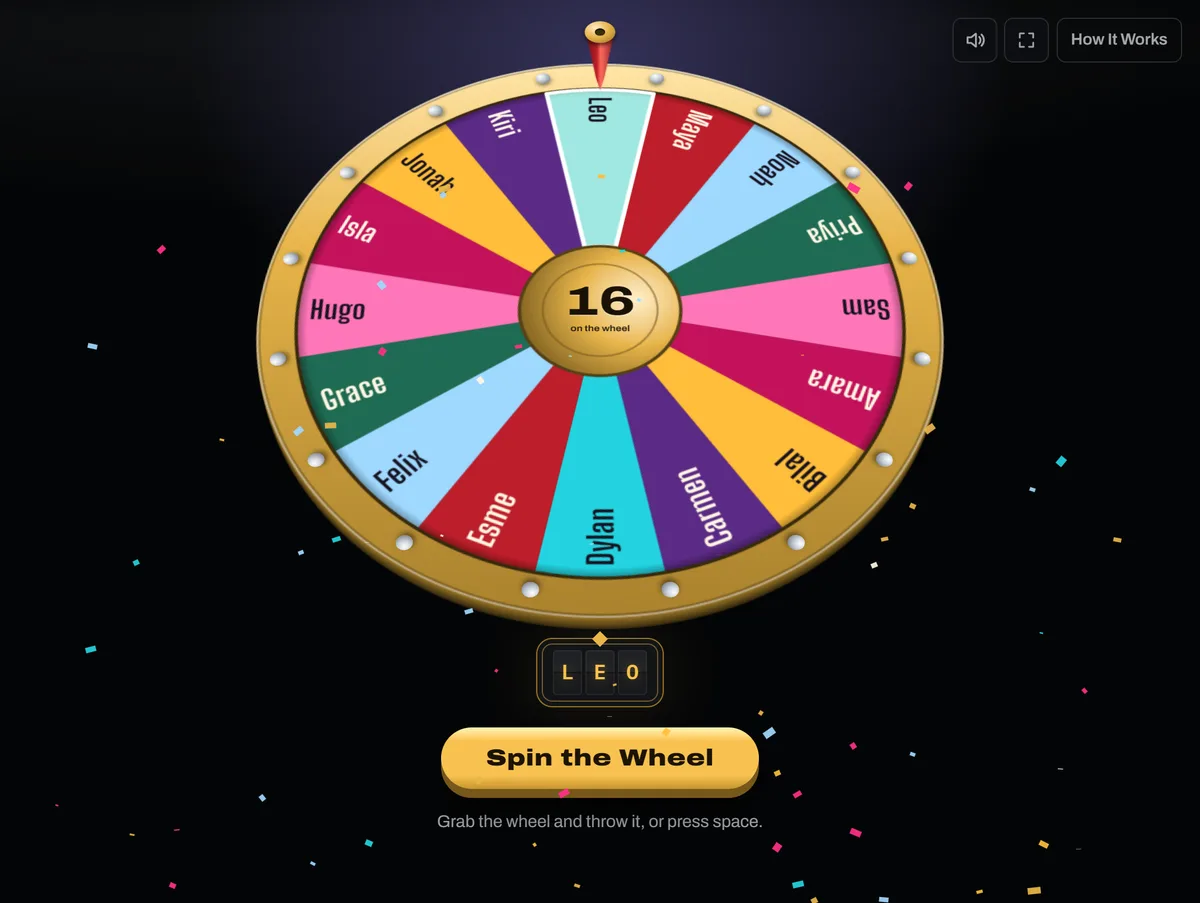 Open the picture full size, opens in a new tab
Making It Fair and Kind
Alvares and colleagues looked at community college biology classes where the instructors used what they call warm random call, and found it was not linked to more extreme anxiety. The instructors explained it on the first day, let students talk a question over with a neighbor before anyone was called, answered every reply respectfully, and let a student pass. Most of those carry over to a wheel.
- Tell the class on day one that names will be drawn, and why.
- Ask the question first, then let students think or talk before you spin.
- Thank every answer, including a partial one.
- Let a student pass. Asking a student who passes to name a classmate to help is practical advice, not something those studies tested.
A spin takes a moment, which gives a nervous student a few seconds to breathe. Settings has a Length slider if you want it longer.
Everyone Gets a Turn
A random pick starts fresh on every spin, so one student can come up twice running while another waits all week. In the Settings tab at the top of the list, set After a Win to Retires. Each winner leaves the wheel, stays on the list unticked so you can see who has gone, and the next spin picks from whoever is left. For calling on students all term, Rests is gentler. A student who just answered has a smaller wedge for the next few spins but never drops out.
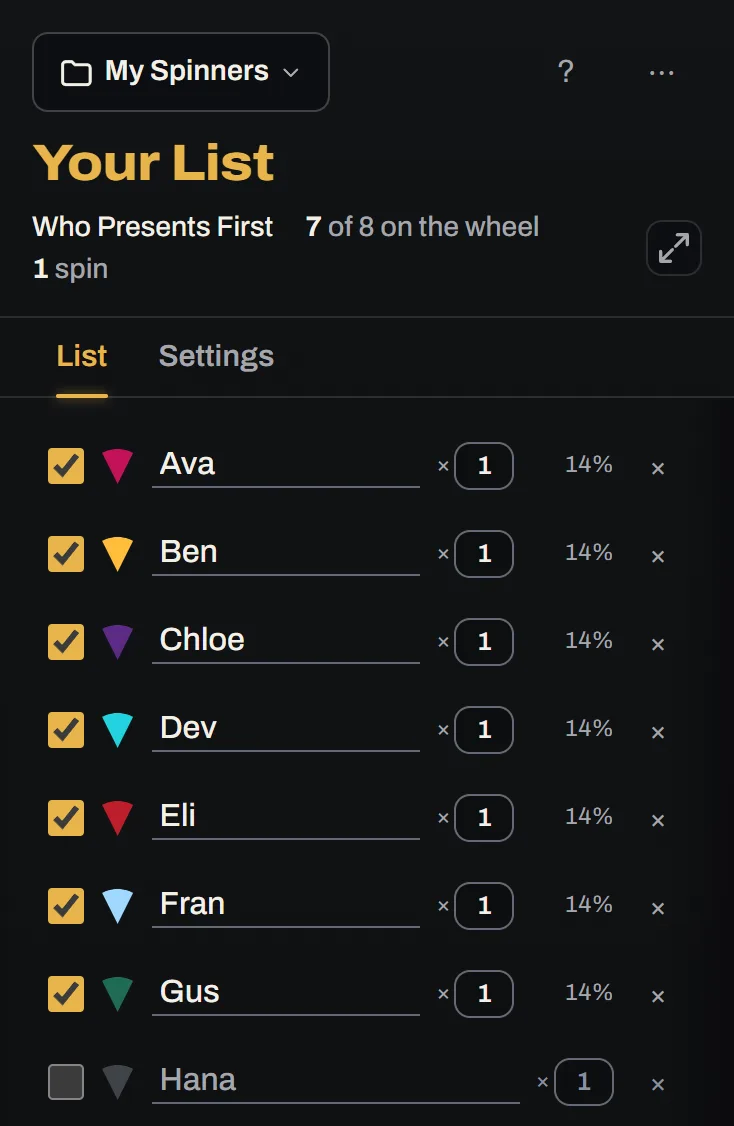 Open the picture full size, opens in a new tab
When everyone has had a turn, choose Put Them All Back On from the More for This List menu. If a student is absent, untick their name and they sit out without being deleted.
More Than Calling on Students
For a presentation order, set After a Win to Retires, spin until the list is empty, and read the order off your History. The Who Goes First tool starts on Retires already.
For groups, the Team Generator takes the whole class list and deals it into as many groups as you ask for, or groups of whatever size you need, in one press. For a review game or a writing prompt, paste your questions or topics in one per line and let the wheel pick the next one. Full screen, the F key, fills the screen so the wheel reads from the back of the room.
Saving a Class List and Keeping It Private
Open the More for This List menu, choose Paste a List, and put one name on each line. Edit an example and it becomes your own copy under My Spinners. Each browser keeps up to ten, so one list per class fits.
Lists, your History, and settings stay in that browser. They are never sent to us, and there is no account. Clearing the site's data deletes them, so does closing a private window, and another device starts empty. A share link sends a colleague a copy. The list rides inside the link, after the # sign, so we never receive it, but anyone with the link can read every name.
Student names are personal, so check your school's rules before you type a roster into any tool. First names or initials are a safe habit. On a shared computer, anyone who opens the same browser can see My Spinners, and History can be cleared from its sheet.
Try It
Paste your class into the Name Picker, which starts on Retires, and spin until everyone has gone. Then try Put Them All Back On to start the round again.
Read Next
Picking Teams FairlyHow do you split a group into teams fairly, without anybody being the last one picked?4 min read How to Make a Fair Random PickWhy not just pick a name yourself, or count round with a rhyme, and what makes a random pick fair?4 min read Choosing Who Speaks Next in a MeetingHow do you pick who speaks next in a meeting so it's fair and nobody waits to be called on?6 min read
Sources
This guide draws on these. Last checked October 15, 2026.
- Impact of Cold-Calling on Student Voluntary Participation, Elise Dallimore, Julie Hertenstein, and Marjorie Platt, Journal of Management Education, 2013 (opens in a new tab)
- Leveling the Playing Field: How Cold-Calling Affects Class Discussion Gender Equity, Dallimore, Hertenstein, and Platt, Journal of Education and Learning, 2019 (opens in a new tab)
- Assessing Community College Biology Student Perceptions of Being Called on in Class, Stacy Alvares and others, CBE Life Sciences Education, 2023 (opens in a new tab)
- Updating the Great Cold-Call Debate: Does Gender Matter?, Andrew Watson, Learning and the Brain, 2024 (opens in a new tab)